Creating a Npati account only takes a few minutes. Once your account is ready, you can start using Npati to browse marketplace listings, create your own listings, upload photos and videos, publish Shorts, follow other users, send messages and connect with people.
In this guide, you will learn how to sign up for Npati using your email address or Google account, how to sign in later and what to do if you forget your password.
If you are new to the platform, this is a good place to start.
What Is Npati?
Npati combines a marketplace and a social network in one platform.
Instead of using one service for buying and selling and another service for videos, social interaction and messaging, Npati brings these features together.
With a Npati account, you can:
- Create marketplace listings
- Add photos to your listings
- Upload videos
- Create and watch Shorts
- Browse products and local listings
- Follow other Npati users
- Communicate with buyers and sellers
- Send and receive messages
- Build your public profile
- Discover new listings and content
- Manage your activity from one account
This means your Npati profile is not only a marketplace account. It also gives you access to the social features available across the platform.
How to Create a Npati Account
The Npati account registration process is the same in the United States, Canada and the United Kingdom. The only difference is the regional URL you use.
Choose your Npati market:
United States:
https://www.npati.com/sign-up
Canada:
https://www.npati.com/ca/sign-up
United Kingdom:
https://www.npati.com/gb/sign-up
You have two ways to create your account.
You can register manually using your username, email address and password, or you can continue with your Google account.
Option 1: Sign Up for Npati With Email
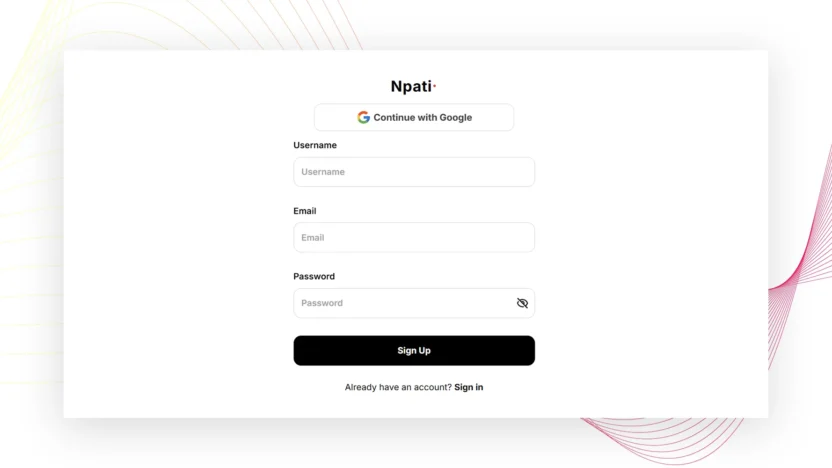
If you want to create a Npati account using your email address, open the registration page and complete the three required fields.
1. Choose a Username
Enter the username you want to use on Npati.
Your username helps identify your account and may be visible to other users on the platform.
Choose something that is easy to remember.
If you plan to use Npati for selling products or building a recognizable profile, it can be useful to choose a username related to your name, business or brand.
2. Enter Your Email Address
Enter an email address that you currently use and can access.
Your email is important because it is connected to your Npati account and can also be used when you need to recover access to your account.
Before continuing, make sure the email address is entered correctly.
A simple typo in your email can make account recovery more difficult later.
3. Create a Password
Enter a password for your Npati account.
Use a password that is difficult for other people to guess and avoid reusing passwords from important accounts such as your primary email or banking services.
Once all three fields are complete, continue with the registration process.
Your Npati marketplace account is now ready for you to start setting up your profile and exploring the platform.
Option 2: Sign Up for Npati With Google
You can also register on Npati using your Google account.
On the Npati registration page, select the Continue with Google option.
Google will ask you to choose the Google account you want to connect.
Follow the instructions on the screen to continue.
Using Google can make the Npati sign up process faster because you do not need to manually create a separate login using your email and password.
This can be a convenient option if you already regularly use a Google account.
Video: How to Register on Npati
Here is a video showing how to register on Npati.
The video walks you through the Npati sign up process step by step, including where to enter your username, email and password and how to register using Google.
How to Sign In to Your Npati Account
After creating your account, you can return to Npati at any time and sign in.
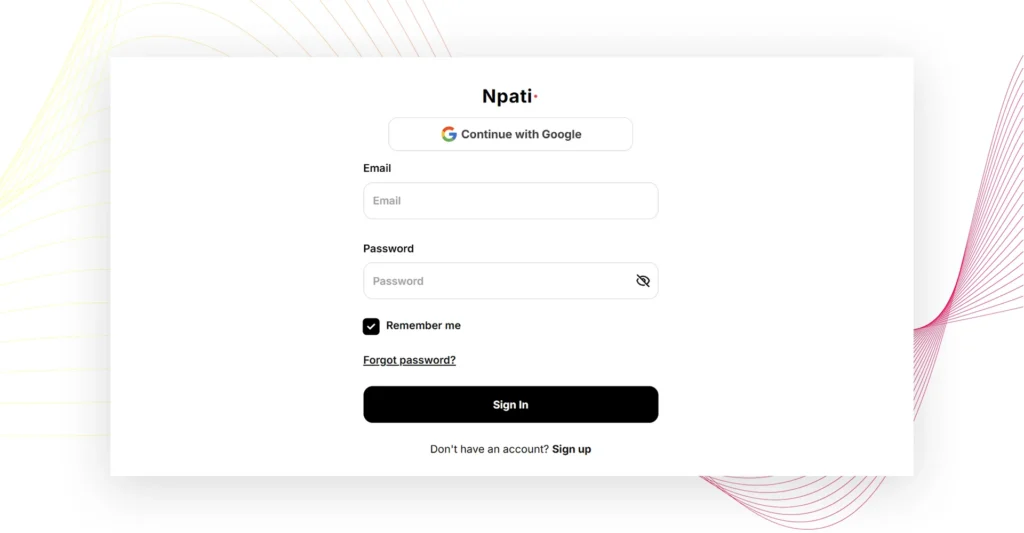
Use the sign in page for your Npati market:
United States:
https://www.npati.com/sign-in
Canada:
https://www.npati.com/ca/sign-in
United Kingdom:
https://www.npati.com/gb/sign-in
The sign in process is the same across all three markets.
Enter your:
Email
Password
Then select Sign In.
If you created your account using Google, you can also use the Continue with Google button.
This makes it easy to access the same Npati account without entering your password manually every time.
Remember Me
The Npati login page also includes a Remember me option.
If you are using your own computer or personal device, this option can make future sign ins more convenient.
Be more careful when using shared or public computers. On a device that other people can access, it is generally better not to leave your account signed in.
Forgot Your Npati Password?
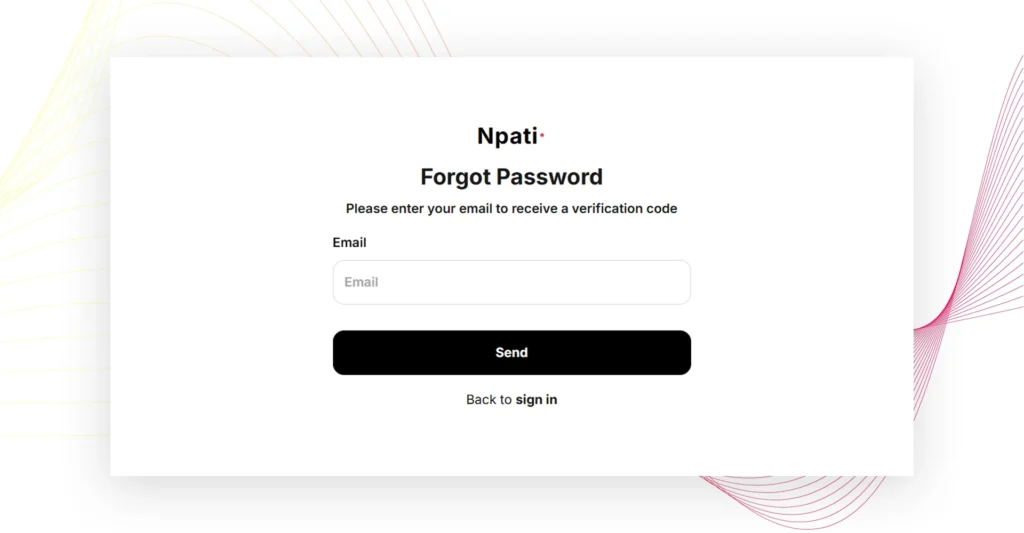
If you forget your password, use the password recovery page for your Npati market:
United States:
https://www.npati.com/forgot-password
Canada:
https://www.npati.com/ca/forgot-password
United Kingdom:
https://www.npati.com/gb/forgot-password
Enter the email address connected to your Npati account.
Npati will send a password recovery email to that address.
Open the message in your email inbox and follow the instructions to create a new password.
After changing your password, return to the Npati sign in page for your market and log in using your new password.
If you do not immediately see the password recovery email, check your spam or junk folder as well.
What Can You Do After Creating a Npati Account?
Once you have registered on Npati, you can start exploring the platform.
One of the first things you may want to do is complete your profile.
A complete profile can make it easier for other users to understand who they are communicating with, especially when you start creating marketplace listings or interacting with buyers and sellers.
You can then begin exploring some of the main Npati features.
Create Your First Listing
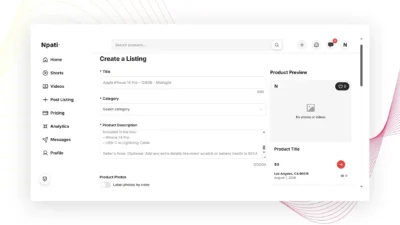
If you have something to sell, you can create a listing directly on Npati.
Add useful information about the item, choose the appropriate category, set your price and include clear photos.
Providing accurate information helps potential buyers understand exactly what you are offering.
You can also use video to show the product in more detail.
For example, if you are selling electronics, a short video can demonstrate that the device is working. If you are selling furniture, video can help show the item’s size and overall condition.
Upload Videos
Npati includes video features in addition to traditional marketplace listings.
Users can upload videos and use visual content to show products, ideas or other content to the community.
Video can be especially useful when photos alone do not show everything a buyer may want to see.
Create and Watch Shorts
Npati also includes Shorts.
Short videos give users another way to discover content and interact with the platform.
For sellers, Shorts can provide a quick way to show an item, highlight an interesting detail or give viewers a closer look at a product.
Follow Other Users
Because Npati also includes social networking features, you can follow other users.
This can be useful when you find sellers, creators or profiles whose content interests you.
Instead of treating every marketplace visit as a completely separate experience, Npati allows users to build connections around the people and content they want to follow.
Send Messages
Communication is an important part of any online marketplace.
With Npati Messages, buyers and sellers can communicate directly.
A buyer may want to ask about:
- Product condition
- Availability
- Size or dimensions
- Included accessories
- Pickup details
- Other information about a listing
Sellers can respond directly and continue the conversation through Npati.
Browse Listings and Discover Products
You do not need to create a listing immediately after registration.
You can also use your Npati account to explore the marketplace, search categories and discover products that other people are selling.
If you are looking for something specific, use the Npati search and marketplace categories to narrow down the available listings.
Tips for Your New Npati Account
Keep your account information current and use an email address that you can access.
Use a strong password if you register with email.
Complete your profile before you start selling if possible.
When creating listings, use real photos and provide accurate information about the condition of the item.
Respond to buyer messages clearly and keep your listing information updated.
If an item is no longer available, update or manage the listing so other users do not waste time contacting you about something that has already been sold.
Npati Account Frequently Asked Questions
Is creating a Npati account free?
You can visit the Npati sign up page and create an account to start using the platform. For information about current plans, features and limits, check the Npati Pricing section.
What information do I need to register on Npati?
For standard email registration, you need to provide a username, email address and password.
Can I create a Npati account with Google?
Yes. The Npati registration page includes a Continue with Google option that lets you create or access your account using Google.
Where can I sign in to Npati?
Use the sign in page for your market:
United States:
https://www.npati.com/sign-in
Canada:
https://www.npati.com/ca/sign-in
United Kingdom:
https://www.npati.com/gb/sign-in
You can sign in with your email and password or continue with Google.
What should I do if I forget my Npati password?
Use the password recovery page for your market:
United States:
https://www.npati.com/forgot-password
Canada:
https://www.npati.com/ca/forgot-password
United Kingdom:
https://www.npati.com/gb/forgot-password
Enter the email address associated with your account. You will receive an email with instructions for restoring access and creating a new password.
What can I do with a Npati account?
A Npati account gives you access to marketplace and social features. You can create listings, upload photos and videos, publish Shorts, browse products, follow users, communicate through messages and interact with other people on the platform.
Start Using Npati
Creating your Npati account is the first step toward using the marketplace and social features available on the platform.
You can register with a username, email and password or use your Google account for a faster sign up process.
Once your account is ready, complete your profile, browse marketplace listings, create your first listing, upload photos or videos, explore Shorts and connect with other Npati users.
Create your Npati account and start exploring the marketplace today.
Next Step: Complete Your Npati Profile
After creating your account, the next recommended step is to complete your Npati profile.
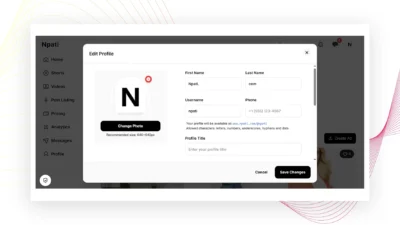
You can add a profile photo, username, profile title, location, bio, profile links and interest tags.
Read the next guide: