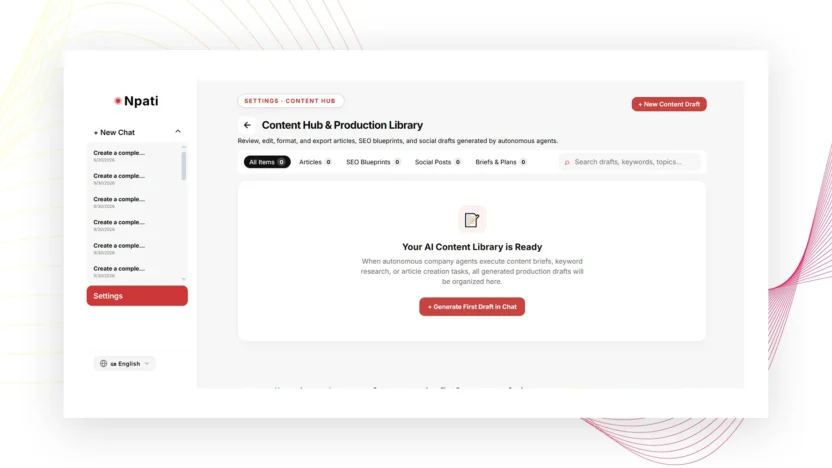
AI content in NPATI AI Agent can be reviewed, edited, copied, downloaded, and organized from the Content workspace. The page collects materials created by completed company tasks and saved edits, including articles, SEO structures, social posts, and briefs.
Open Settings → Content. The Content page is a workspace for reviewing and refining material; seeing an item here does not mean it has been published to an external website.
What the Content workspace contains
The Content area can show several content types, including article, SEO structure, social post, and brief. These records can come from completed AI Company tasks or from edits saved in the workspace.
If you want to create a new item from scratch, New Content takes you to chat so you can describe the task and let the agent workflow produce the material.
How to find content
- Open Content.
- Use search to find a specific item.
- Filter by content type when the list is large.
- Open the content card.
- Switch between preview and raw views where useful.
If the page looks empty, check whether filters are hiding results. Reset filters before assuming the content no longer exists.
Preview vs raw content
Preview helps you read the material in a more natural presentation. Raw is useful when you need to inspect the underlying text or structure directly. Use both views when reviewing AI-generated material, especially if the content will later move to a CMS or another publishing workflow.
Edit title, type and content
The editor can update the title, content type, and text. After making changes, select Save and then reopen the item to verify the saved result. This is important when refining an article, correcting an SEO structure, or turning an AI draft into a publish-ready asset.
Copy and download content
Copy is useful when you want to paste the material into another tool. Download saves the content for use outside the workspace. Choose the method that matches your workflow rather than treating the Content page itself as the final publishing destination.
Delete and restore behavior
Delete removes a content record. In an empty state, the interface may offer a way to restore deleted records when that option is available. Check the current UI before assuming every deleted item can always be recovered.
Content is not the same as publishing
This distinction matters for WordPress and external publishing workflows. A finished article in Content is still a workspace record. Publication requires a separate action or integration. If your company uses scheduled website workflows, configure and test them in Automations.
Create better AI content with company context
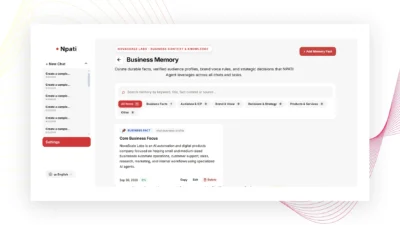
Content quality depends on the context available to the agent. A well-configured AI Company can provide role instructions, models, tools, knowledge documents, and company memory. A Business Profile and Business Memory can provide confirmed business context.
For SEO work, give the content task a clear search intent, audience, topic, primary phrase, related terms, desired structure, and factual boundaries. Then review the result manually before publication.
Example content workflow
- Create a task in chat with a specific content brief.
- Let the AI Company complete the task.
- Open the result in Content.
- Review preview and raw views.
- Edit the title, structure, and text.
- Save the revised version.
- Copy, download, or send the approved material into a separate publishing workflow.
Common Content workspace mistakes
Assuming saved means published
Saving a record in Content does not publish it to an external website.
Editing without checking company context
If the generated material repeatedly misses important facts, review the selected company, knowledge, agent instructions, and memory instead of only rewriting the output each time.
Forgetting filters
An active type filter can make existing material appear missing.
Next steps
Build better source context with Company and Memory, automate recurring production with Automations, and inspect task execution through Activity & Run Trace.
Explore the project and installation resources in the NPATI AI Agent GitHub repository.
FAQ
Does Content automatically publish to WordPress?
No. The Content page stores and edits material. External publication is a separate workflow.
Which content types can appear here?
The described interface includes article, SEO structure, social post, and brief records.